Guides / Ticketing

Ticketing

Ticketing provides ticket type setup, promo management, transaction tracking, and payment processor settings in one organizer tab. It centralizes sales setup and operational visibility for paid events.

Configure ticket sales and monitor purchase activity from one organizer workspace.

When to use it

  • You need to sell or configure event tickets.
  • You want to manage pricing, quantity, and ticket availability.
  • You need transaction visibility for event sales.
  • You want to confirm payment processor settings for checkout.
1

Open Tickets in Event Management.

Tickets tab opens with ticket setup and sales management tools.

Ticketing step 1
2

Review ticket tiers and create new ones as needed.

Ticket Types shows inventory, pricing, and controls for each tier.
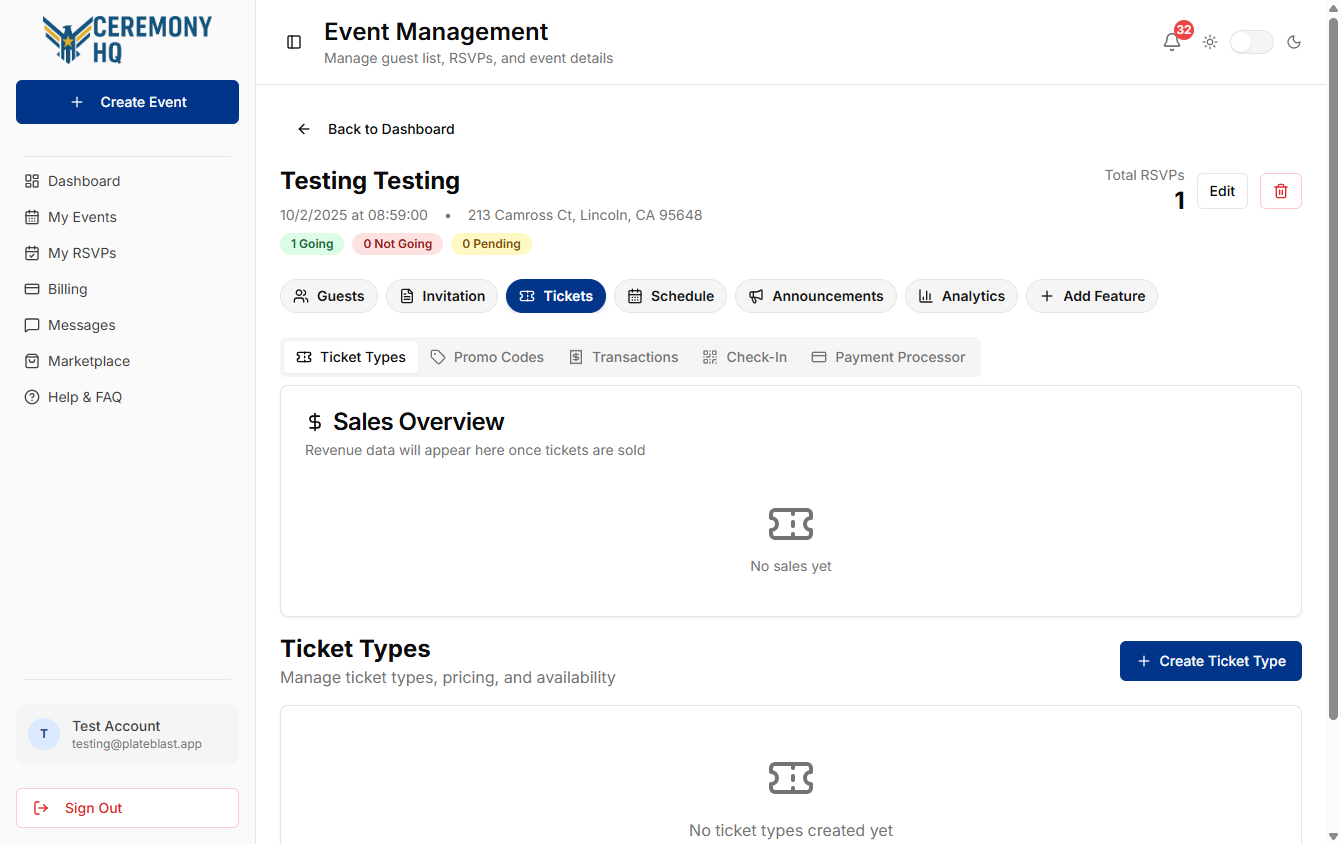
Ticketing step 2
3

Open Payment Processor to confirm checkout configuration.

Payment Processor shows active provider selection and connection status.
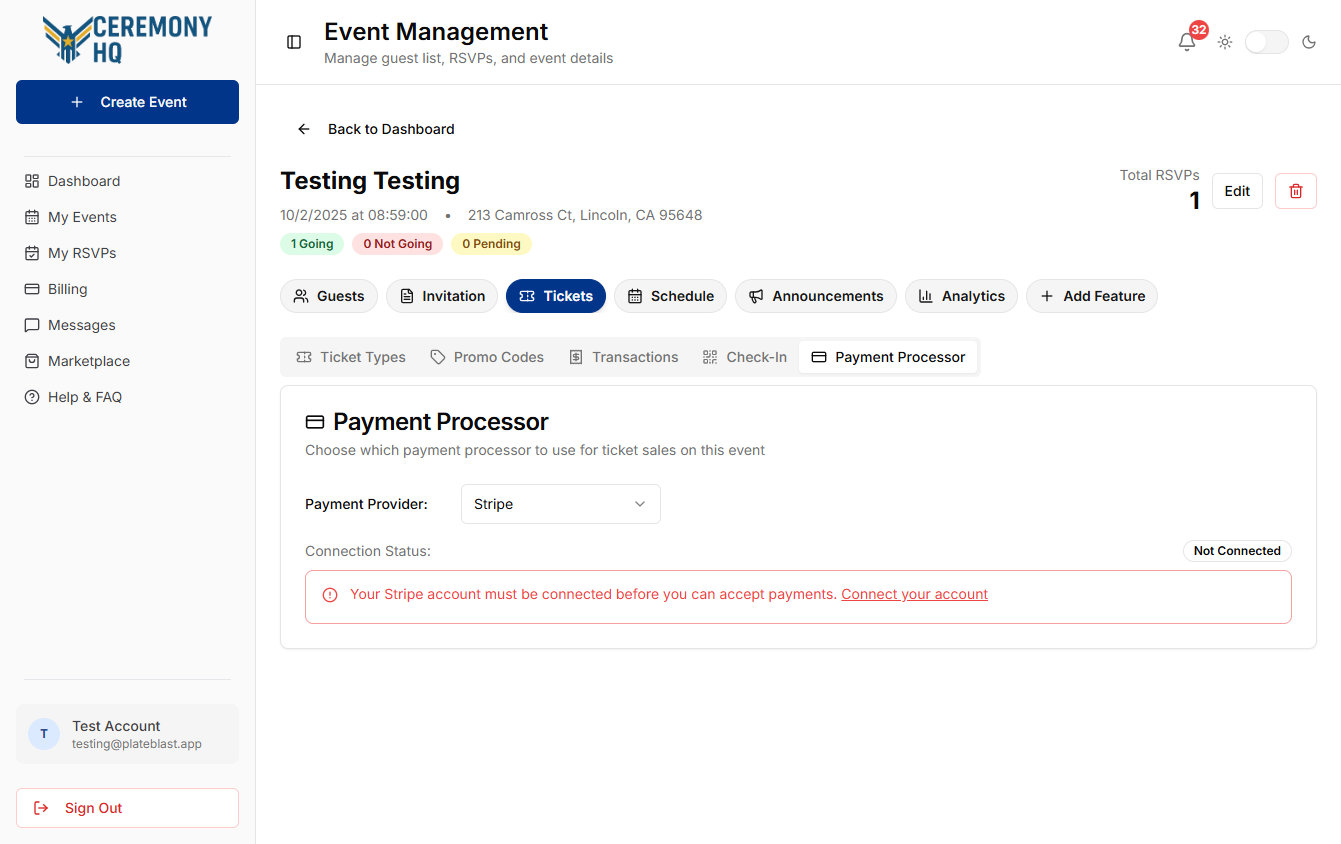
Ticketing step 3

Tips & gotchas

  • Verify ticket details before opening sales.
  • Keep promo code rules simple and easy to audit.
  • Review transactions regularly during active sales.
  • Confirm processor connection status before launch.