Guides / Potluck

Potluck

Potluck gives organizers a structured list of contribution items and signup tracking. It helps guests coordinate what they are bringing without duplicate confusion.

Coordinate contributions without duplicate items or manual tracking.

When to use it

  • Your event needs shared food, drink, or supply contributions.
  • You want organizers to track who signed up for each item.
  • You need a quick export for day-of coordination.
  • You want guests to self-manage contribution commitments.
1

Open Potluck from Event Management.

Potluck opens with organizer controls for list details and item tracking.

Potluck step 1
2

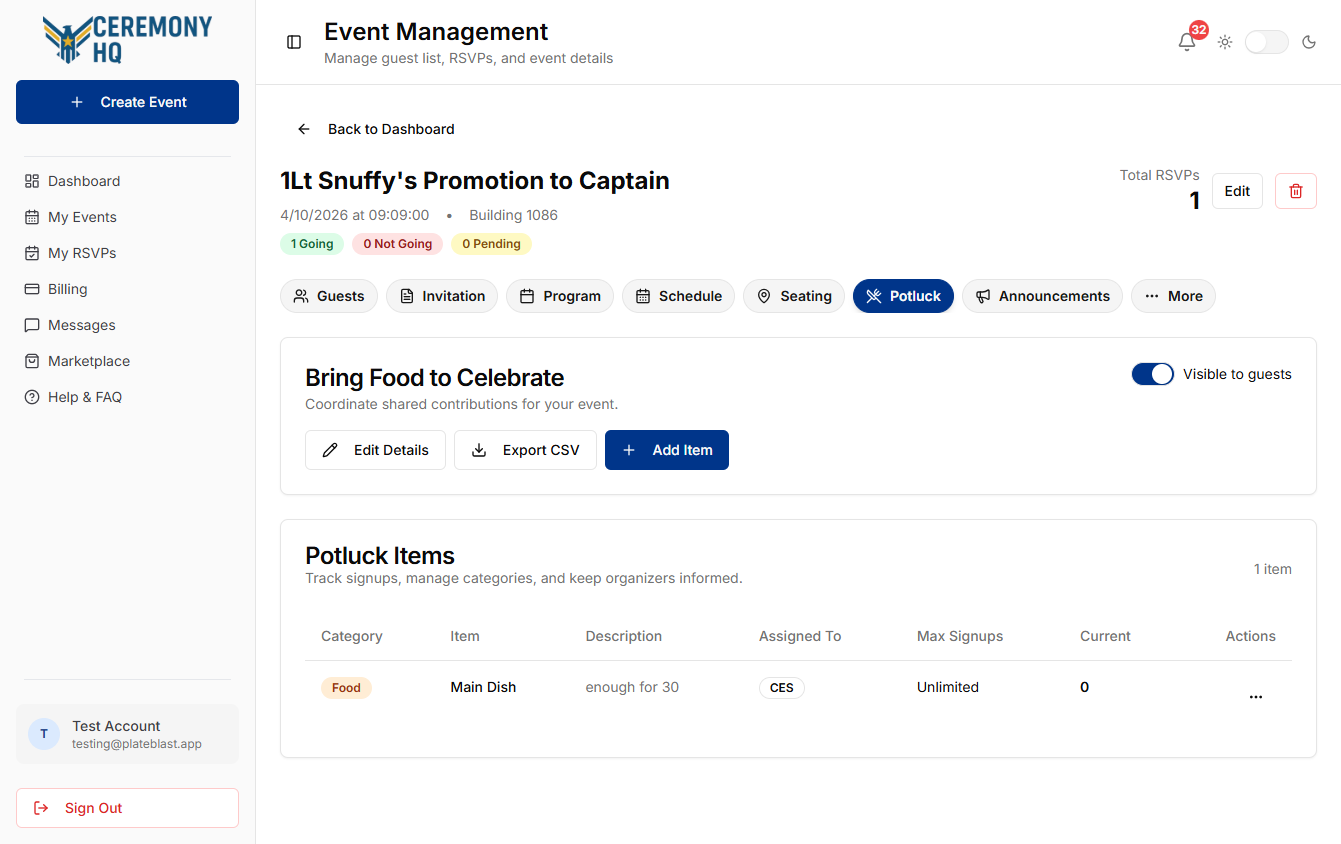
Review the item list and signup status.

Items table shows category, limits, and current signups for each contribution.
Potluck step 2
3

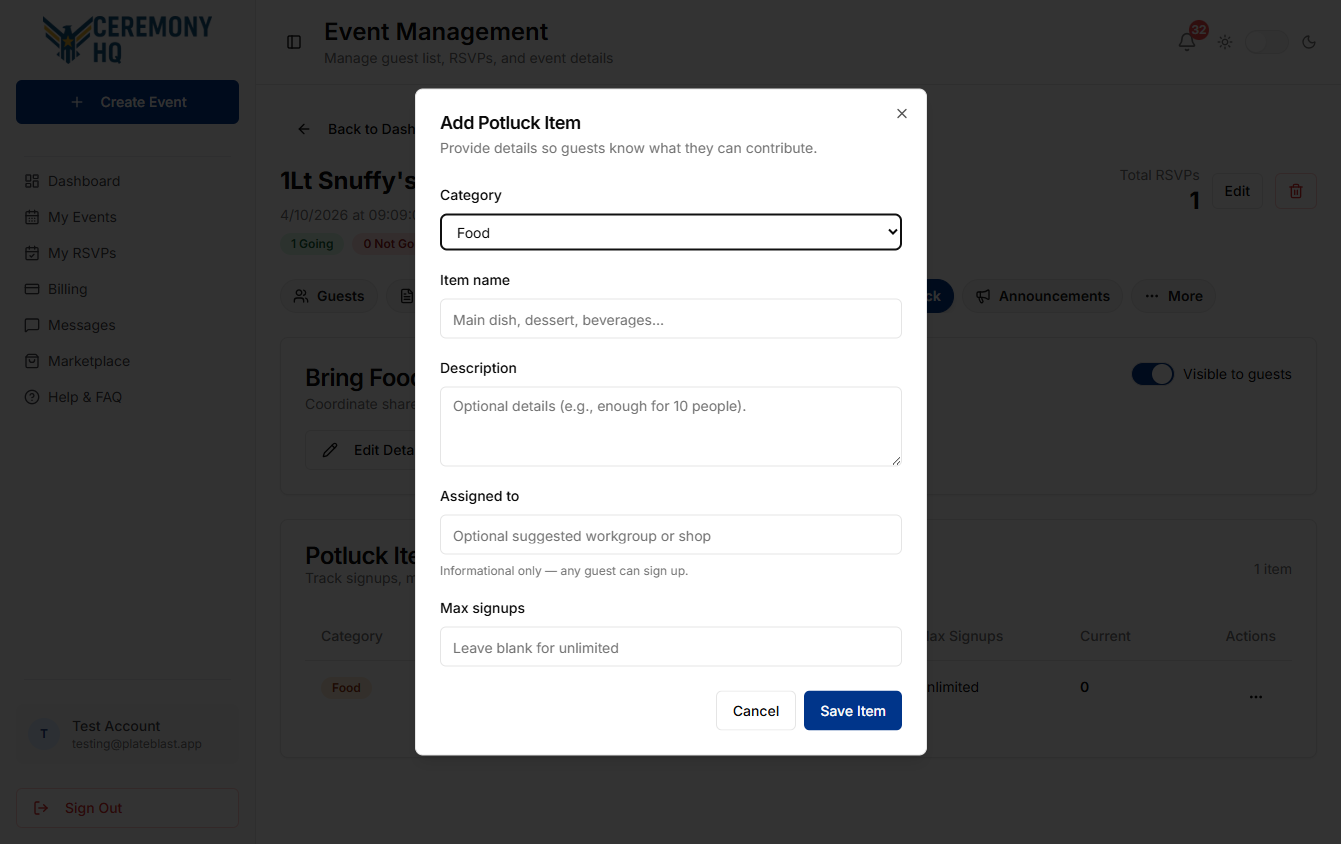
Use Add Item to maintain your contribution list.

Add Item opens the item form for category, description, and signup limits.
Potluck step 3

Tips & gotchas

  • Start with clear item names and categories.
  • Add max signups when an item has limited need.
  • Keep visibility aligned with when guests should start signing up.
  • Export the list close to event day for the latest status.